In this talk, Josh Clark and Veronika Kindred show how using AI as a design material, not just a production tool, enables designers to create meaningful new experiences that have only now become possible.
Sentient Design is the practice of crafting intelligent interfaces, experiences that have the awareness and agency to adapt to users in the moment. These are dashboards that design themselves, apps that manifest on demand, agents that just get it done, and much more.
What entirely new kinds of experiences can we create? What dramatic new value can they deliver? Josh and Veronika show examples and bring the receipts.
Here’s the lightly edited transcript.
Let’s look up from our tools

Josh
There’s a lot of talk right now about tools and process, including on this stage today. And this stuff is important, right? We’ve suddenly got a lot of new tools we can use, and they’re changing how we work, introducing new productivity and efficiency, and changing our roles. And I think all of that stuff is great. But that conversation leaves out something really important.
When we talk about tools and process, what’s left out is the product itself: what we actually make and the experience we create. Ultimately, that’s the only thing that matters: What do we put in the hands of our customers, and what happens next?
So for this session, let’s look up from our tools. Instead of talking about production, let’s talk about product, about the experiences we can create.
We can create experiences that weren’t possible just a few years ago. We’ve been talking about adaptive interfaces and personalization for decades, right? But we suddenly have a technology that makes it all possible. And yet, as an industry, we’ve barely explored experiences beyond text-based chat and agents.
We can create experiences that weren’t possible just a few years ago.
What happens when you weave intelligence into digital interfaces, into the canvas itself? What becomes possible when the surface of our applications becomes collaborative?
That’s what Sentient Design is about. More than generating assets, how do we use AI to create new kinds of experience? Veronika, you want to take us out?
Our whoa moment
Veronika
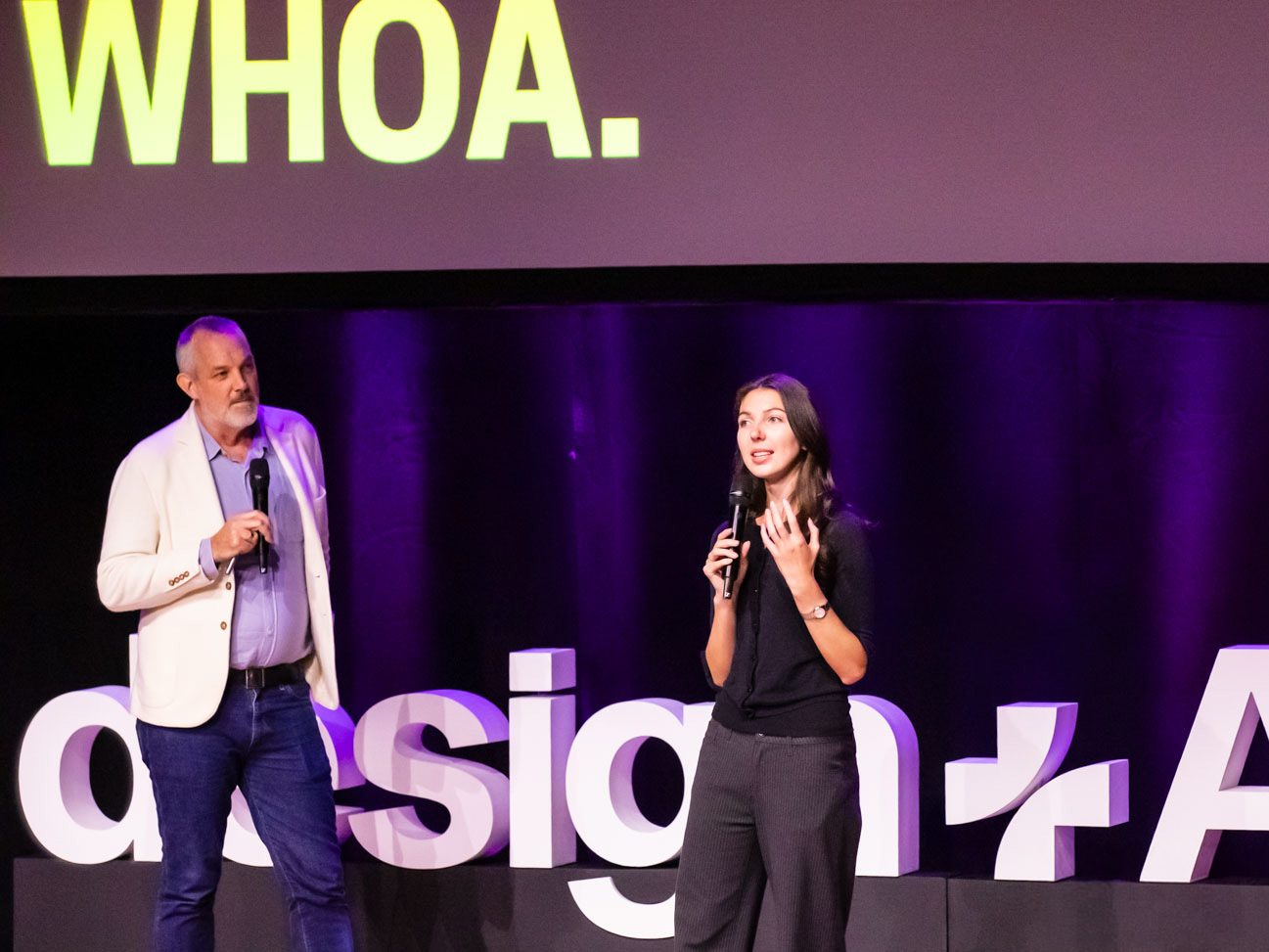
I’m sure everyone in this room had the moment where you saw something that AI was able to do, and you said, Whoa, this is not like what came before. This is doing something I wasn’t able to do before. We’ll get to some more serious examples in a bit, but I want to start by sharing our “whoa moment.”
This started with a little toy project that Josh and I created two years ago now. It’s called Sentient Scenes.
You can give it a scene like, “the submarine descends.” And it starts to act it out. You could give it another prompt like “HAL 9000” from 2001: A Space Odyssey, and it will change form to act that out, too. So it’s changing its style, its mood, and its behavior based on the intent of the user’s prompt. (Try it out here.)
There’s even this kind of personality in the square’s motion and the way it acts things out. The colors, the type it chooses, it’s all adapting to the mood of the scene. Like I said, this is just a little toy, but it really cracked something open for us:
This is the entire interface adapting to the user’s intent without explicit instructions.
Josh
Four things really jumped out at us about it:
First, it’s an intelligent interface that goes beyond chat. It’s still got an open-ended input, but the way that it responds is not about text, but about a change in the interface itself.
Second, it has personality without anthropomorphism. It’s not pretending to be human, but it does have some personality to it, in the way that it moves, the tone that it has. There’s something that feels like intelligence in there, but it’s not human intelligence.
Third, it has awareness of context and intent. It not only describes the scene, it becomes the scene. And it does it in a way that reflects mood and emotion, so it’s intuiting more than just what’s in the simple text description.
And finally, it’s open-ended within constraints. I think this is the most exciting thing about this era of interaction design: it can take any input and respond in a way that makes sense. But also works within this constraint. It doesn’t turn into some kind of robot fever dream. It’s always this recognizable stage that the actor is on, but the stage dressing changes.
We made this a couple of years ago, and of course the technology kept changing. We continue zooming into the future. So Veronika, take us to the future.
A world built as you explore it
Veronika
Yeah, let’s do it! Here we go, the future, exactly as I pictured. Okay, maybe not. This is a painting by a French painter named Eugène Galien-Laloue. He painted this Paris street scene at the turn of the last century, and I think it looks like a cool place to go, so let’s go there, let’s do it.
Now we’ve entered Mirage 2, which is a world model that takes an image and a text prompt to create a world on demand. It’s building the world frame by frame as you explore it. So anything not in view hasn’t been invented yet. So we can walk across this street here and explore. We’re inventing whole new city blocks in Paris just by walking in that direction. Until we turn that way, it literally doesn’t exist yet. It’s being conceived in the moment, but still following the rules suggested by that original image. It’s still following the coherent laws and physics of that Paris world… except for that riderless horse we’ve got going.
Josh
What the hell is on that horse?
Veronika
Ignore that part.
Josh
All right. So I mean that’s a pretty impressive technical feat, but I want to draw attention to its implications: the world is created as you explore it, based on your specific actions. So it’s a one-of-a-kind place. Like Veronika was saying: the world is created at the very moment you turn this way or that.

It’s a different experience for every person who explores it. It begins the same for everyone, with that same painting of Paris, but it quickly becomes something that is unique to you, this utterly individualized experience that’s mediated by AI, but created by the choices that you make.
What if any digital experience worked this way?
Veronika
What if any digital experience could work this way? This is an interface that bends to you instead of forcing the reverse. It brings you what you need and lets you manifest it in the moment.
This is an interface that bends to you instead of forcing the reverse.
What if websites were generated this way, invented as you explore them? Instead of climbing through navigation, what if the views that you needed simply came to you? When would that be helpful, and when would it be utterly confusing?
How do we make sure it doesn’t feel like a crazy robot fever dream? How do we make it grounded enough to make sense to the user?
Josh
If it’s a different experience for everybody, when is that helpful and when is that a hassle? How do you share information with people? How do you get back to where you were before when it’s a completely dynamic experience?
This shows the dial turned all the way up to 11. What are quieter forms of adaptive interfaces that we can introduce through this awareness of context and intent?
LLMs are masters of manner
Josh
It’s not particularly new to say that LLMs are powerful but weird. And so these observations aren’t going to be new to you. But I want to cast them in the particular light of what it means for experience design.
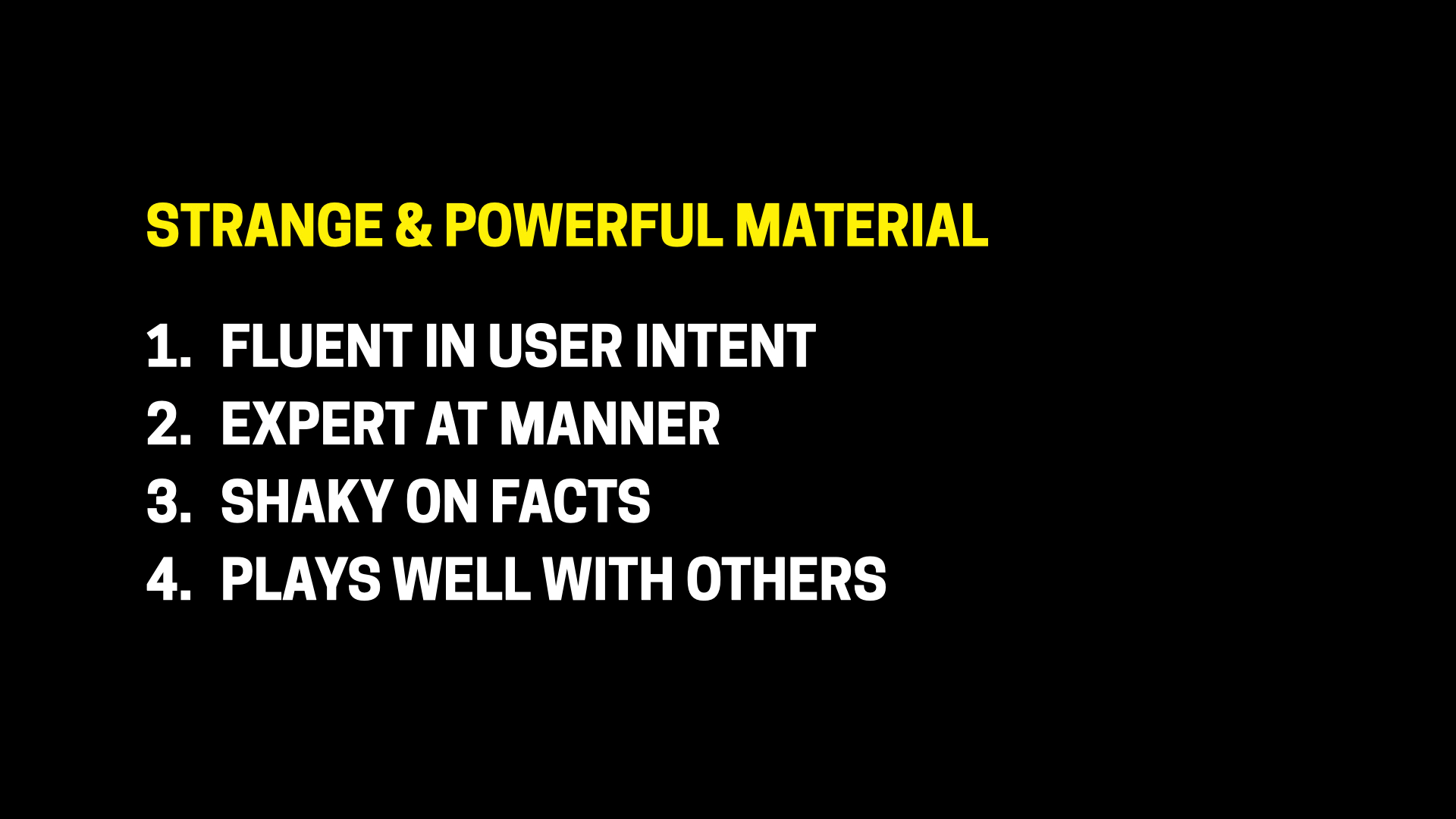
First, fluent in intent. It’s what I was talking about with the Sentient Scenes concept of open-ended input. LLMs are really good at making sense of arbitrary open-ended inputs. They just get what you mean, right? Understanding intent used to be hard; it used to be really brittle. With older versions of Alexa, if you said, “switch the lights on,” instead of “turn the lights on,” you wound up stuck in the dark. Now that’s entirely handled. The systems understand what you mean and can act on it.
Next, expert at manner. It means that they’re very good and flexible in their output, too. We know this from using assistants, right? They can adopt the tone and role that you give to them. But it’s also true of the mode or format of communication. They can speak or communicate through video, images, handwriting, or any of the messy ways we communicate as human beings. And across systems, too. So LLMs are very, very flexible in the input that they accept, and also super flexible in the output that they give.
The trouble is they’re a little shaky on facts, right? It’s hard to know when you can actually trust them with the truth. How do we take the benefits of LLMs and also treat the weirdness of these things as an asset instead of a liability? A thing that can help with that is this fourth characteristic:
They play well with others. They get along with other systems. So you don’t have to trust LLMs with the facts. Instead, you can ground them with RAG databases and MCP servers as other trusted systems.
So when you add all this up, it turns out that LLMs are great at presentation. So: we can use LLMs to make design decisions in the moment, according to the systems and guidelines that we create, but leave the facts to other systems. What we get is a really flexible way of communicating that can change interaction mode or content or structure or behavior on the fly—sometimes all of them at once—according to what’s needed and appropriate.
So that’s pretty exciting. But it’s also a little bit heady. So we’re gonna bring this down to earth now: Who’s ready for enterprise software?
Enterprise software!
Veronika
Let’s do it! This is Salesforce Generative Canvas. It’s a plugin for Salesforce that assembles dashboards and content based on implicit context—your calendar, for example—or explicit questions.
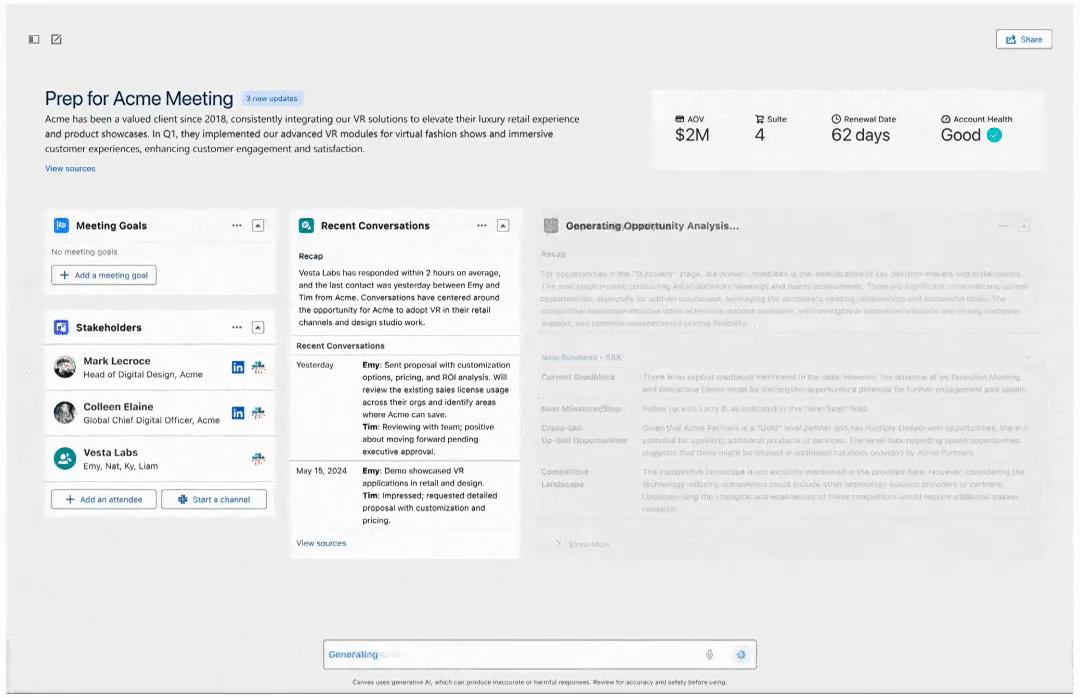
Here you can see it gathering information related to an upcoming meeting on your calendar. You can also ask it a question like, “What has my team been discussing with this customer?” and it assembles the right information and the right UI to answer the question. Now what’s very cool is it’s using familiar design patterns from the Salesforce design system, and it’s pulling data from the usual Salesforce data sources. It’s not making anything up, just assembling it on the fly. So you get this really custom experience, but all the content is safe and trusted.
And so to come back to Josh’s list of LLM attributes, the system inferred the relevant data from the context because it’s fluent in intent. It found the data sources because it played well with others. And it formatted them in the right way because it’s expert at manner. And here we’re kind of sidestepping the whole “shaky on facts” thing by using AI to focus on the presentation rather than the generation of the content itself.
Bespoke UI: shape-shifting interfaces
Josh
We call this the bespoke UI experience pattern. It’s this shape-shifting interface, conceived in real time. Bespoke UI experiences compose their own layout or content or controls. (Sometimes these are called “generative UI,” but there are lots of other kinds of UI and design decisions that can be generated, so we prefer the term “bespoke UI” here.)
This is the most “step one” of intelligent interfaces. These experiences, like Veronika was saying, usually have a constrained set of components filled from data from trusted sources. So it’s not making up the UI on the fly; it’s composing it. We let AI make some very simple design decisions about what to assemble in real time. So design systems and best practices, particularly in this bespoke UI experience pattern, become more important than ever.
Veronika, you’ve got another example?
Veronika
More enterprise software! Okay, so now we’re looking at Cisco’s AI Canvas. This is a platform to let you explore network incidents.
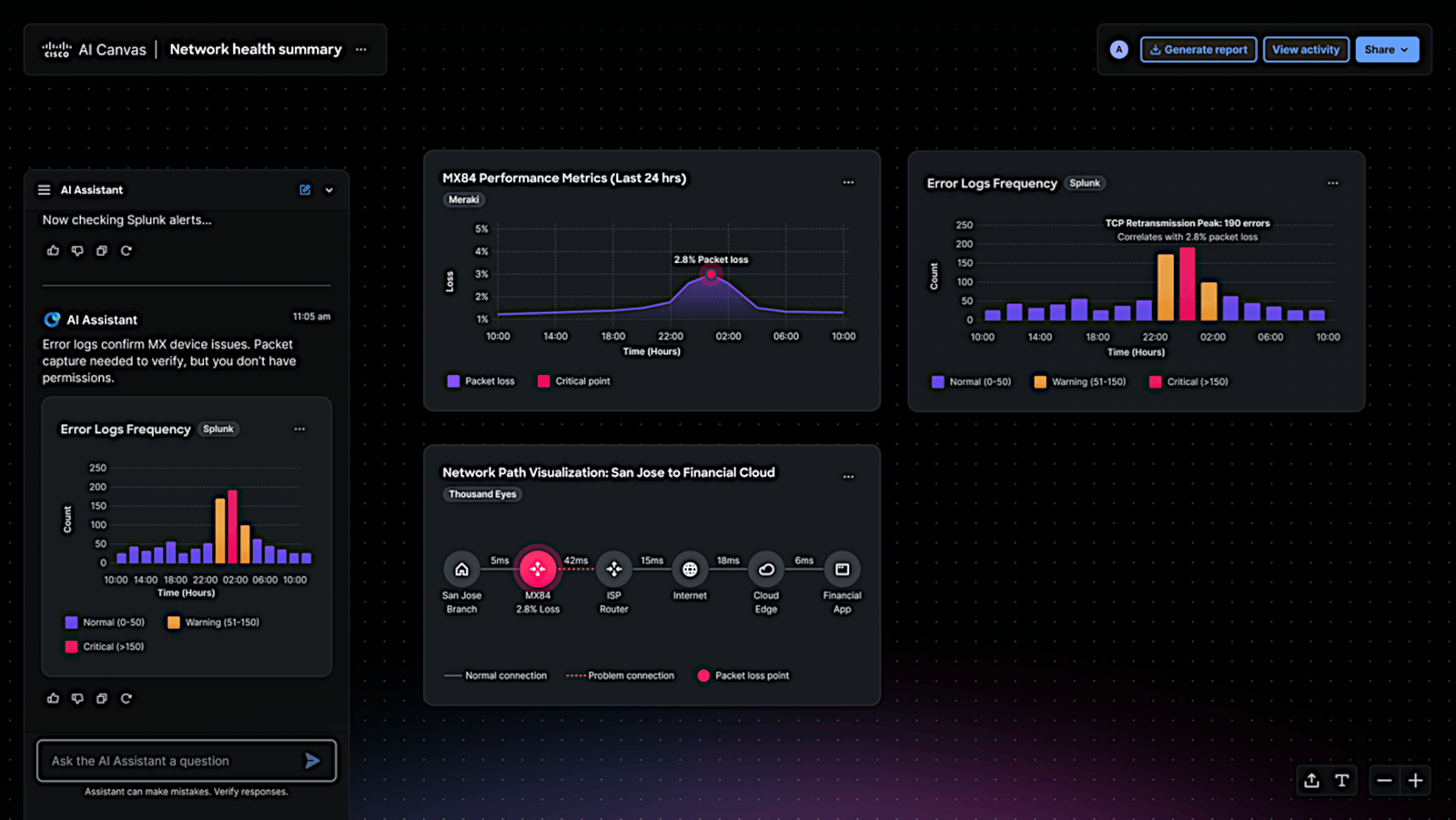
Here we have a specific network incident. I’ve asked the system to troubleshoot the ticket, and the system populates the canvas on the right over here with all of these chart widgets. Each of these widgets is itself interactive, but they’re all design system components that the system has selected to match the relevant context and the relevant content here. So you’re getting a totally bespoke dashboard.
We can also follow up and ask questions in the sidebar on the left. “Can you look for a correlation between these metrics?” And it replies not only in text but also in data visualizations.
I think this chart is helpful, so I drag it onto the canvas, and the canvas all of a sudden becomes this collaborative surface between me and the system to research and collect the evidence I need to figure out the problem. Guys, what a difference from traditional SaaS software! Normally, I’d have to climb through layers and layers of navigation to find all the content that’s being shown here. Instead, it’s the reverse: the UI comes to me.
The intelligent canvas
Josh
With bespoke UI, the system creates layouts for you: “I think you need this, so here’s a UI for that.” This Cisco AI Canvas offers a glimpse of the intelligent canvas experience pattern. The intelligent canvas goes a step further by manifesting the content you describe or ask for, and then the system and user collaborate to create the interface and content experience.
So what we’re seeing here blends the bespoke UI experience generating a dashboard to start, but then blends into an intelligent canvas that becomes collaborative. It’s a pattern that’s really good for exploration and discovery. We’ll look at another example of it in a minute.
At our agency, Big Medium, we’ve got three different projects with Fortune 50 companies right now. These are big, complex organizations that have a million different use cases and user scenarios. And over years and years, their applications grow over time to serve all million of those cases. You know what the result looks like: a million different dashboards that you have to find yourself by navigating a horrible, dense information architecture and baroque navigation.
These very big, complex companies are typically slow-moving, but we’ve found that they are jumping into these bespoke UI and intelligent canvas patterns very quickly. It’s because they feel the pain and weight of these million dashboards, and these solutions provide a real, immediate way for companies to modernize what has become a really slow and frankly torturous experience for their customers.
These patterns let the system bring the interface to the user instead of forcing the reverse. When you really dial up the intelligent canvas even more, you can even manifest applications on demand. Some of this, of course, is becoming more familiar now. You’ve probably encountered this with chat assistants like Claude that let you make an app, and start using and improving it right away.
Here, I told Claude that I wanted it to build an Asteroids game that I could play in the browser, and in seconds I was playing it during the chat. Then, you know, I made some additional updates, changed the scoring and the sound effects. And then, of course, I asked it to add zombies; I didn’t even know what that would mean. But then suddenly I had these green asteroids chasing me around, and I was very pleased with myself.
On-demand interfaces, disposable software
Veronika
I also love Claude, and while Josh is playing his Gen X video games, I’m trying to get some real work done.
So the other day I was using Claude, and I asked it to check the accessibility contrast between two colors. On its own, it decided to write up its own little application to do the calculation. I didn’t ask for an application, but it created it because it decided it was the best way to answer my request. It didn’t even keep it when it was done. So we’re starting to get these on-demand, in the moment, completely disposable applications.
Josh
I mean you know what this is, right? Just sort of like sketching out an idea and it becomes real? Yeah, it’s sort of like this guy.

Wile E. Coyote tried this all the time: just gonna paint a tunnel on here, try to trick the Road Runner into running into the wall. But it becomes this real tunnel. It’s this magic, intelligent surface that worked for everybody except for poor Coyote, of course. (If I were him, I would sue Acme. I hear that’s in the works.)
Or maybe this guy, anyone?
It’s this fundamental fantasy of conjuring what you want just by gesturing at it. Draw or say what you want to make it so. And it’s incredibly satisfying because the thing that you want or need just materializes. Many of us are already using AI to generate experiences as part of our traditional design production. But what happens when you put it directly in front of the user and let AI make those design decisions in real time?
That’s the main quality of the intelligent canvas pattern. It can be a literal canvas or it can be sort of a metaphorical one, more like what we saw with Claude.
Agents on the canvas
Josh
Here’s another example of an intelligent canvas. This is an application we’re creating with a client, a company called VIA, to explore data in a visual context. Think Figma or Canva, but for data. Somewhat similar to the Cisco example that we saw, you can ask for information, and it will draw the appropriate visualization on the canvas, an aspect of bespoke UI. But I’m going to show you something different, which is how we visualize an agent experience.
You can ask the system for data, including asking it to do complex multi-step tasks: in this case, filling out a form to report energy usage at a facility. And if the system recognizes this as a task that it knows how to do, it will send in an agent to do the work.
The agent appears just like another user in a multi-user environment, driving its own cursor on the canvas. If it has trouble, it will ask what to do. In this case, it notes there are three different buildings to analyze; what should it do? I tell it to do just one building.
And then I’m following it as it works, in the same way that you would follow another user in Miro or FigJam. But I don’t have to. I could go off and use some other part of the canvas and do my own work. But here I can watch it and see what it’s doing to monitor its progress, and it’s showing its work as it goes.
As it gets this data, it can show what it’s analyzing. The animation shows it sort of sniffing at the data as a way to indicate what it’s up to, what it’s processing. And then when it’s done, it generates this PDF. Thanks, see ya, it’s out of here. Then you can go through and see the tasks that it did, look at its reasoning, and of course see the finished result.
I think what’s really interesting here, too, is that you can go back and follow its train of thought. This is a literal audit trail that it leaves behind—or any other user leaves as they work. Where did this data come from? What was the logic that got there? I can drill in and see what it’s doing, or continue with new tasks.
It’s got those bespoke UI aspects of selecting the right component to display for each kind of data. It’s got collaborative aspects of an intelligent canvas. It’s got an agent that’s going off and just getting it done on its own.
This is an intelligent interface that is very much not a chat experience.
This is an intelligent interface that is very much not a chat experience. It’s a different kind of interaction model and mental model that we’re creating around the visual exploration of data.
So Veronika, I think there’s a lot more to explore here.
Sentient Design provides the map
Veronika
Absolutely. These are just a few examples, and they’re only scratching the surface.
We’ve been working this into all of our client work at Big Medium. And of course we’re hardly the only ones doing this, but the work has been pretty unevenly distributed in the industry. It’s been kind of haphazard so far, and there’s really been no uniform vocabulary or framework for what types of experiences to create, or even what those types might be.
As we explored this work, we needed a map. We wanted to identify all of the species of intelligent interfaces that we could find, experiences with the awareness and agency to respond to your users in the moment.
Josh
Friends, it took us two years to explore these intelligent interfaces and their patterns. But I think we cracked it, and we put it into a book. I give you: Sentient Design!
It’s available at all of your favorite booksellers. We hope you enjoy our book.
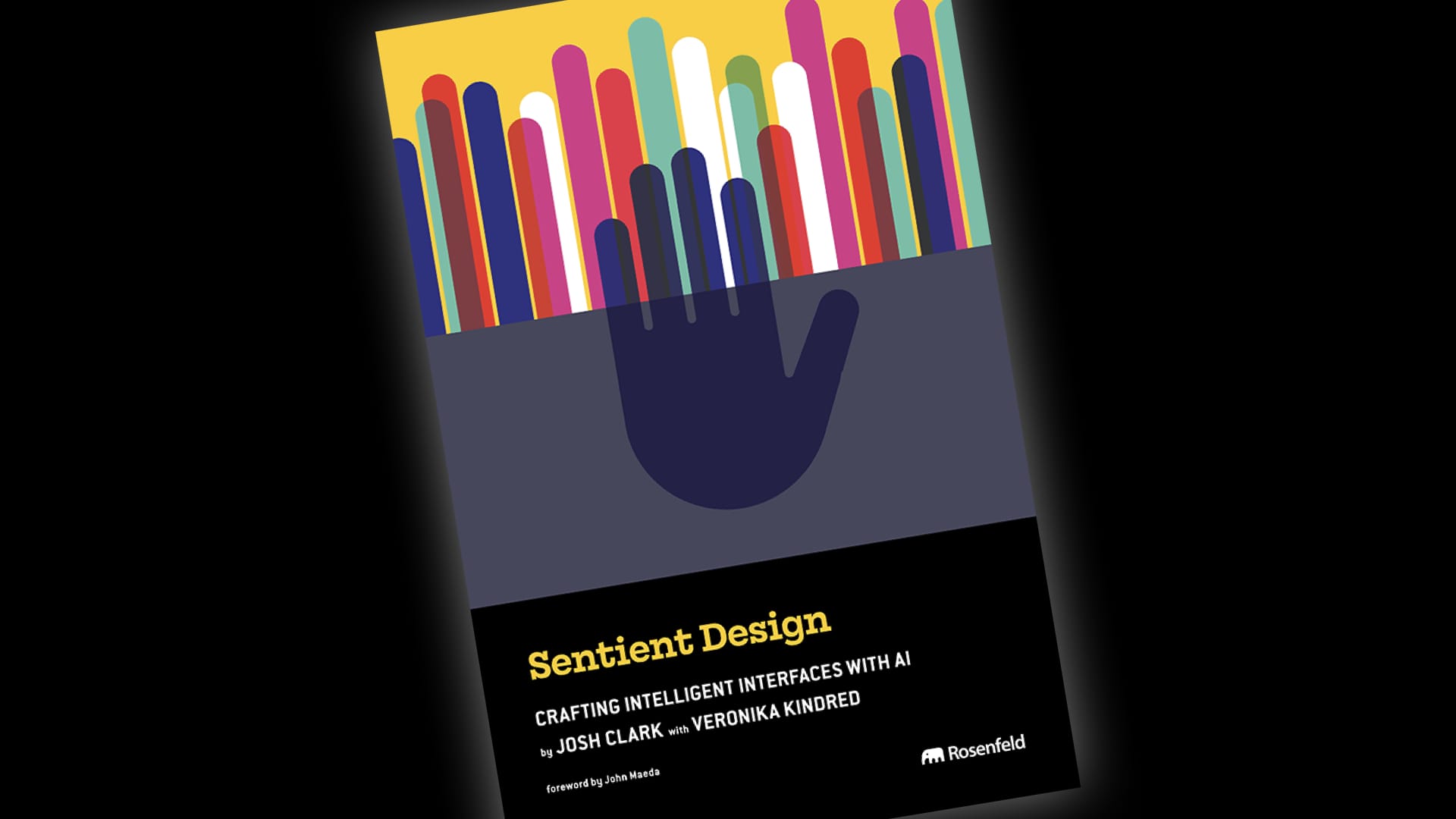
We’ll get back to that map that Veronika mentioned in a moment. But first I want to say I could not have written this book without Veronika. So halfway into this thing, I think it’s probably past time for us to do some introductions.
Veronika
We might be overdue, honestly.
Two generations of interaction design
Josh
Well, hello. I’m Josh Clark. I lead an agency called Big Medium. I’ve been a product designer and strategist for 30 years, running Big Medium for about 25 of them. I’ve written a bunch of books about user experience for O’Reilly and A Book Apart and now Rosenfeld Media. (I don’t know if I mentioned that we’ve got a new book? Yeah, it’s called Sentient Design?)
So with all this experience, my assumption coming into this era was that I’ve got this UX stuff figured out. I understand product design. But as I’ve worked with machine-generated results, with machine learning, and in the last few years with LLMs, I’ve realized that a lot of those hard-won best practices need revisiting. And that’s where this one comes in.
Veronika

Hi, my name is Veronika Kindred. I’m a designer and researcher at Big Medium with Josh, and I’m a zillennial or elder Gen Z. I grew up in this world beyond static websites: TikTok, Instagram, algorithmic feeds, all those things which have turned out to be so good for our mental health, right?
But also in my career, I’m AI native. I started at Big Medium right after ChatGPT ushered in the proliferation of LLMs. And so for all of my career, my work has focused on the design applications of AI.
Josh
Veronika doesn’t yet have my experience, but she’s also not burdened by it. And so you’re looking at two generations of designers here, and very literally: Veronika is not only my colleague, but also my daughter. I’m very proud of her. (She loves this part of the talk.)
For me, working together has been a really productive relationship both personally and professionally because it’s helped me to develop new perspectives about what this new generation of experience design can be.
AI is weird. It offers lots of new possibilities and also lots of new problems. And so we need new perspective here. This is a moment we’re figuring out what this is, who it affects. So the way that we’ve always done things has to be revisited—in process, as we’ve been talking about a lot today, but also in interaction design.
Why does it have to be that way? The answer has to be better than “because that’s how we’ve always done it.”
Across generations, across disciplines, across classes, across all facets of humanity, we need to seek out more perspectives right now—to share, to teach, to let go of orthodoxies. This is an opportunity to revisit everything.
Like I said, I couldn’t have written Sentient Design without you, Veronika—or seen it so clearly without your perspective.
Veronika
I always blush. We do this every time and I always get embarrassed.
Josh
This is the best dad moment.
The Sentient Triangle
Josh
All of that collaboration let us make the map that we’ve been talking about. And here it is! The Sentient Triangle!

The Sentient Triangle is based on the wonderful work of Matt Webb. Thank you, Matt, for all of your help with this. You really unlocked something for us with this, as well as your help with the book.
The Sentient Triangle organizes intelligent interface experiences across three attributes:
- Grounded: how reliable and consistent the experience is
- Interoperable: not only across systems, but also across formats and modes of communication
- Radically adaptive: experiences that are conceived and delivered in real time
Grounded and interoperable have been a big part of computing for decades. The radically adaptive experiences are what LLMs have unlocked in the strongest way we’ve yet seen.
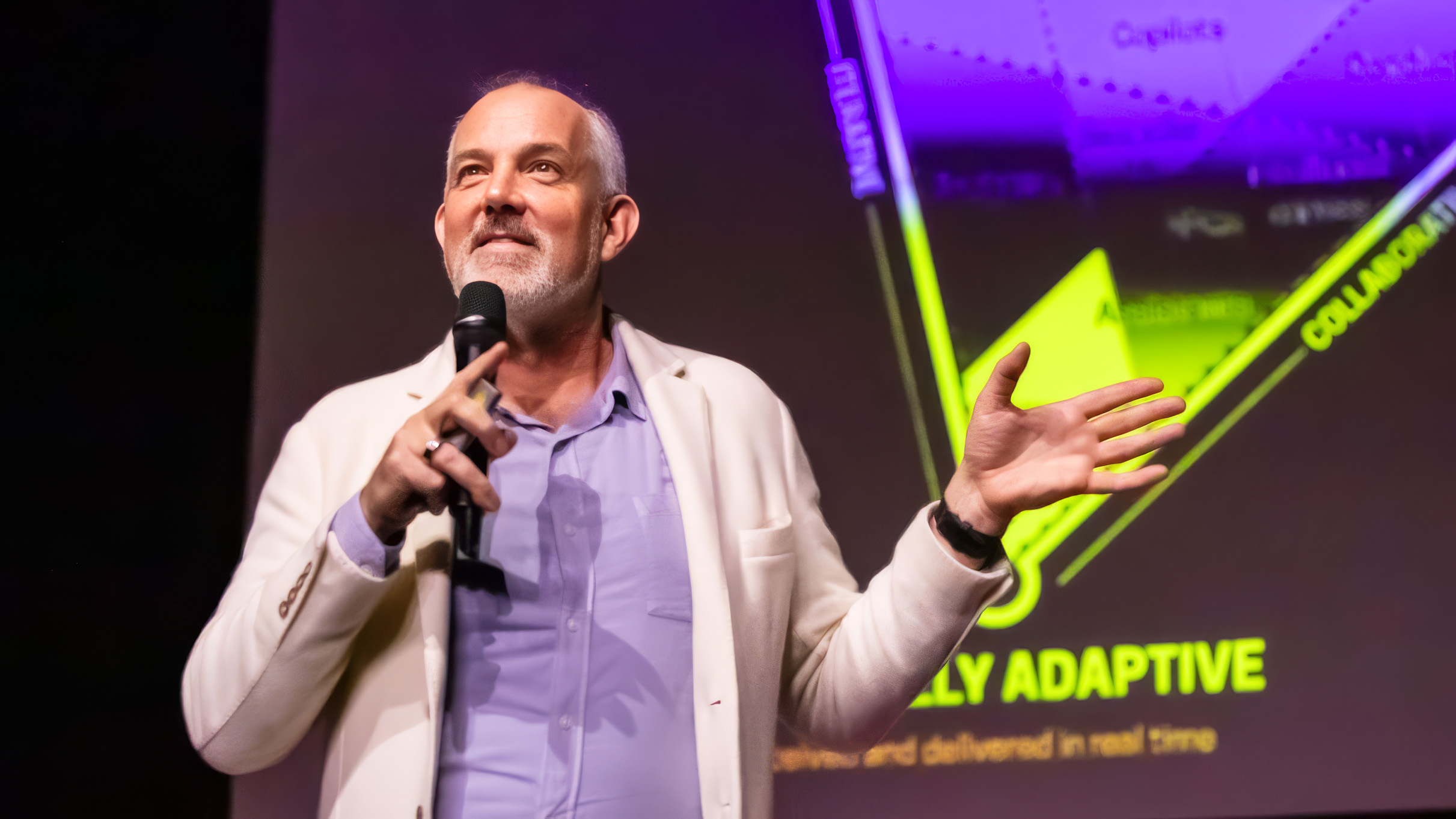
Four experience postures
Josh
As you map these three dimensions, four postures emerge. Postures represent the relationship that the system has to the user. The way that you use the system and the way that it communicates with you is different across all of these.
Tools are the most traditional computing experiences. They’re very transactional and controlled: here’s an input, you get an output.
Chat is conversational, of course, but it’s not necessarily literal text dialogue. It’s open-ended, turn-based communication with a peer: You say something, it responds, you respond to that, and together you craft a whole meandering journey that is unique to the experience and wasn’t designed as any one happy path.
As the user, you have to manage tools and chat. You have to be involved at every step to keep them going.
Agents, of course, you delegate to. You tell it what you want to happen, and the agent makes a plan, executes it, decides when it’s done, and if all goes well, comes back with what you’re looking for.
Copilots support you. This is a posture that stands by and waits until it can be helpful. Otherwise, it stays out of your way. Spell check is part of the long history of the copilot posture. It’s very quiet and deferential; it says, here’s a little correction that you might consider, take it or not. It’s a background task that is supporting you constantly, ambiently.
So you use tools, you talk to chat, you delegate to agents, and you’re supported by copilots.
When you go down to a lower altitude in the Sentient Triangle, 14 different experience patterns become visible. Unfortunately, we don’t have time to talk about all of these today, but we’ve already talked about bespoke UI and intelligent canvas. (I don’t know if I mentioned we’ve got a whole book about this, though, friends.)

But with 14 different experience patterns, there is so much that we can explore. And you can also blend these, like we already saw with the Cisco example blending bespoke UI and intelligent canvas.
But they all have a common theme, Veronika.
Behavior design and creative direction
Veronika
Yes, absolutely. Designing these intelligent interfaces is ultimately about behavior design. It’s about teaching the systems to be able to make reliable design and interaction decisions in the moment.
The effect is kind of like installing a designer right into everybody’s monitor so that anytime they visit any website, a designer can provide the right experience for the moment. The intelligent interface becomes collaborative between the system and the user.
This is delegation, not abdication.
This is delegation, not abdication. Designers might not be drawing every single pixel or designing every single interaction. We may not be designing fixed paths anymore, at least not at the level that we’re used to. Instead, we’re setting the system’s goals, its rules of engagement, the tools and interactions it may use, and when it may use them. These still all fall under the designer’s responsibility.
You become the creative director who gives the system its brief.
Josh
Right. AI might be making real-time design decisions, but designers are creating the environment, the machinery that AI will work within, and humans too. In this aspect, it’s not all that different from the work that we’ve always been doing, where we create the interaction model, the mental model, the specific controls and tools that can be used. The new thing is that we’re also teaching AI to use, manipulate, or present content and interaction within that specific environment.
This is behavior design, right? Interaction design has always been about behavior design—traditionally the design of user behavior. Now our design decisions define system behavior. And system behavior determines the experience.
What we’re getting at is teaching systems autonomous behavior. That’s agentic behavior, so let’s talk a little bit about agents, Veronika.
Agents and the manager experience
Veronika
Yeah, let’s do it. We already saw an agent at work in that VIA example we showed earlier. The point of agents is that you can delegate to them. You give them the mission, and then they go and do it. Now some people say that this might mean the end of the interface. “If the agents are doing everything, there’s no interface to show,” they say.
Josh, I believe we have a technical term for that?
Josh
Yeah, let me see, what’s that technical term.
Veronika
The word is hoo-ha.

Josh
Right! That is hoo-ha, friends.
Veronika
We still need transparency and explainability when agents do their work. We do need experience and interface design for agent experiences, but its nature absolutely changes.
The consulting firm BCG published a big study recently, and they basically found that people who manage agents intensively report deep cognitive exhaustion. The researchers call it brain fry.
You’d think, hey, wait, agents are doing my job for me. It should be easier, not more exhausting. But instead, this group of heavy users of agents reported brain fog, buzzing, headaches, impatience.
One of those reasons—and this matters for us here—is the ergonomics of the agent experience. The experience of managing agents has not yet been thoughtfully designed or considered.
Josh
The user experience gives way to the manager experience. If agents are doing a lot of the tasks that users used to do, we now have to figure out how to manage all those agents doing those tasks. At the moment, that generally consists of reading walls and walls of text going by, effectively watching the console as things happen.
The user experience gives way to the manager experience.
But even aside from the ergonomics, managing is simply hard. For those of you who have made the transition from independent contributor to manager, you know what I’m talking about. It’s a very different thing to suddenly have to keep track of the missions, tasks, plans, and progress of a whole bunch of people. The same thing is true of dealing with agents.
That’s a really different skill, and it takes some new design to help people adapt. It’s just as true in the digital realm as it is in the physical.
Veronika, we take this up a lot in the book. (I’m not sure I mentioned it, it’s called Sentient Design.)
Veronika
Yeah, that’s right. This idea of the manager experience is another area that we lean into. How do we help people manage these agents in intelligent interfaces?
In the book we describe five phases of delegation that apply just as much to systems as they do to people. Not all of these phases always require user interaction; it depends on the complexity of the task.
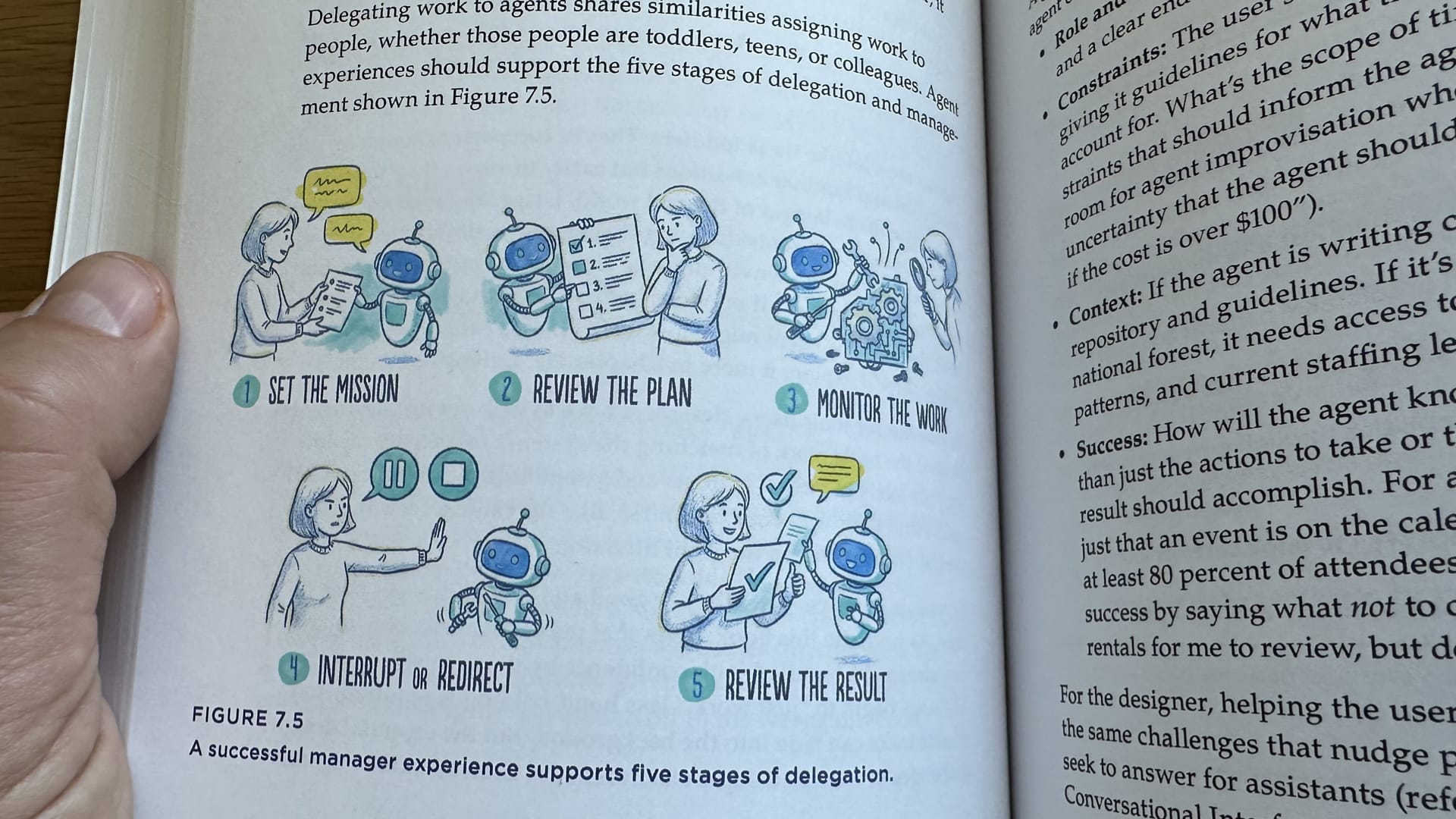
These are the transitional seams where support can really be designed with intention: setting the mission; reviewing the plan; monitoring the work; interrupting or redirecting; and reviewing the result.
We’ll focus here on monitoring the work. This is the part that the BCG study called out as particularly difficult. Right now the agent experience is overwhelmingly text-based, and managing the detailed communications of agents is just a lot to track as they do their work.
The NPC pattern: agents as “just another user”
Veronika
How could we do that differently? The VIA example that we showed earlier was one example of a method we call the NPC experience pattern. NPC stands for non-player character, a gaming term for a character that’s run by the system rather than by a person. The agent does its work as another user, and you can monitor its work just as you would another user in the system.
Josh
Here’s another example of the NPC pattern. It’s a Chrome extension called Pointer that works in Google Docs.
Here I’ve asked it to review my document for technical accuracy. It goes in and makes suggestions like a colleague or human editor would. I don’t have to go into some separate chat interface. It behaves as an NPC within the rules of the application.
You can see the edits that it’s made. It’s doing this as my account, which I think is just a limitation of working as a Google Docs plugin. It would get extra points for making it clear that my robot was doing this work. But as an experience pattern, it’s solid: Instead of going off to some other place, another application or a sidebar to interact with the intelligence, it’s woven into the canvas of the application. It uses familiar “tracked changes” features that human users would use.
The NPC pattern brings the intelligent interface into the same tools and channels that human users use. A simple version of that is in chat environments or Slack, where the robot is just present in the channel, posting and replying like human users. And you can make that even richer, as we saw in the earlier VIA intelligent canvas example.
Now for something completely different
Josh
This is a prototype created by designer Filip Havlena to visualize agents—as Sims, basically. The model has lots of tools available to it; some of those tools manipulate the agents’ 3D bodies. And you can spawn new agents and put them to work with more traditional tools like Google Docs.
Here you can see it using Google Calendar to create a new calendar event, but you can also use it to do work in word processing documents or spreadsheets too. As it works, you can see its progress puffing away above its head, showing you what the agent is thinking. When it’s finally done, you can see the result in the calendar.
It’s a new way to show the agent’s progress. And again, you can just spawn a whole bunch more of these things and put them to work on a whole bunch of tasks all at once. And you can see them doing their work or glaring at you because they resent the crummy tasks that you’re giving them.
This is obviously pretty whimsical, and the utility of this would have to be pretty specialized. But it’s worth imagining the potential use of spatially represented agents across a city or some geography. What are the possibilities of representing these things not as a churn of console logs, but actually representing their work in a more direct mental model?
Another interesting question is what happens when they run into each other in the wild? You know, will they get along? Will they compete? Will they ignore each other? Will they start crazy cybersecurity chat channels? Will they hack things?
How do we design for this? We still have to figure all that out. But again, it’s ultimately about behavior design.
At last, we get to invent again
Josh
There’s so much to invent and explore here. It’s been 15 years since mobile demanded that we explore new interaction paradigms. And that’s what AI is asking of us now.
I think we’re a little rusty at it. The last 10 or 15 years of design innovation have mostly been about design ops. The questions that have dominated our industry have been: How do we work together? How do we do design at scale? How do we create design systems? We have done that at the expense of product innovation. We have had very little focus as an industry on new interaction design, new product design.
At last, that’s the work ahead of us now. The opportunity and responsibility is to explore this new material and discover the truly new and meaningful experiences we can create.
We get to invent again. It’s not the material or the tool that makes us designers. It’s our creativity and judgment and ability to understand the problems and people deeply.
The work is not AI. The work is pointing AI at problems worth solving, imagining experiences that weren’t possible before that can answer those problems better than anything that we’ve had before. What are the thorny problems that intelligent interfaces can uniquely solve?
The work is not AI. The work is pointing AI at problems worth solving.
Let’s not do this for novelty, or because the market says “we need an AI solution.” Ask: How do we help people? How do we make their lives better? That is what designers do when we’re working at our best. These are design questions, and these are fun, hard questions to solve.
Friends, I am excited. Can you tell that I am excited? I’m even excited about enterprise software. This is a rare moment that we have here. In my 30 years of doing this, this is the most excited and creative that I’ve felt as a designer.
You are needed more than ever
Josh
I invite you to approach that excitement and enthusiasm with real thought and intention. All of us here, the people right here in this room, we have real influence and agency over how this rolls out. If we don’t decide the best way to use this strange and powerful technology, then the technology will decide for us—or the billionaires.
The future should not be self-driving. This technology is being shaped right now, and so is its application. How it is used is up to us.
We have this astonishing new design material that can really elevate our craft. There’s a lot of conversation about how to use AI to bring more productivity and speed to our craft. I think that’s important and useful. But in the rush to grind out new efficiencies, let’s not lose sight of the fact that we have real creative power with this material to create significant, meaningful value for our customers and for the businesses that we serve.
Those creative opportunities are huge. They can elevate design—and designers!—if we do it right.
That is up to you. You have the tools and this new technology, of course, but more important, you have the creative material right now—today!—to make something amazing.
So Veronika and I invite you to please do that, friends. Make something amazing. Thanks a lot.
Veronika
Thank you, guys, so much. Thank you.
We can help you. Big Medium helps solve complex problems with intelligent interfaces. Our Sentient Design practice includes product strategy and product design engagements, workshops, and Sentient Design sprints. Get in touch to learn more.