Reimagining the Mouse Pointer for the AI Era
By
Josh Clark
Published May 18, 2026
Google DeepMind shared experimental demos of a “magic pointer,” an AI-enabled cursor that understands the thing(s) you’re pointing at and lets you speak commands or questions about them.
- Point at a recipe and ask to add its ingredients to your shopping list.
- Hover over a table of stats and ask for a visual chart of the data.
- Point at a picture of a place and ask where it is, or how to get there.
- Compare this product to that product.
For decades, computers have only tracked where we are pointing. AI can now also understand what the user is pointing at. This transforms pixels into structured entities, such as places, dates, and objects, that users can interact with instantly. A photo of a scribbled note becomes an interactive to-do list; a paused frame in a travel video becomes a booking link for that cool-looking restaurant.
Try the live demos for editing an image or finding a place on a map. There’s still some jank and a bit of delay, but the concept is clear and sound: apply intelligence at the point of interaction, not off to the side or in another app. Google says it’s bringing the feature into the Chrome browser and its new Googlebook OS.
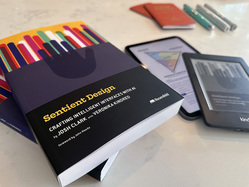
The magic pointer is a tidy distillation of Sentient Design, the practice of creating intelligent interfaces with the awareness and agency to respond to users in the moment. More specifically, this is an example of Sentient Design’s continuous copilot experience pattern, borrowing the interaction of an inline tool. (We’ve got an entire chapter on these experiences in the Sentient Design book.)
Like all continuous copilots, the magic pointer is ambient and deferential, standing at the ready until summoned to support the current task. It folds in the interaction of an inline tool, acting as a super-powered alternative to a contextual menu. It’s the cousin of Android’s “circle to search” feature, a mode that lets you circle anything on the screen to trigger a search for more info.
A few valuable lessons worth calling out for designers exploring this space:
- The feature embraces the power of casual fuzzy language; you can just gesture and refer to “this” or “that” and the system can infer context and intent.
- The feature is additive, not replacing; it doesn’t change underlying behavior, and you’re not obliged to use it if talking to your computer isn’t your thing.
- The “copilot” posture is distinct from the tools, chat, or agents postures, each with its own relationship to the user. Copilots stand by out of sight until there’s an opportunity to help. (Meanwhile, you use tools, talk to chat, and delegate to agents.)
- Like most copilots, this feature is an overlay on the existing interaction. It doesn’t require a separate mode or application; it blends into the current interaction paradigm instead of replacing it.
Continuous copilots tend to be most powerful as “always on” system-level integrations, so they’re often the province of platform owners. But these experiences can also be useful as application-wide interactions, too, as Google’s Chrome integration suggests. For product designers, features like the magic pointer can prompt useful questions about whether and how copilot experiences might be meaningful to your users. Ask yourself:
- What is the context that only your system’s environment can uniquely gather?
- How can that knowledge support the user in the moment?
- How might that information inform actions beyond the screen; what adjacent systems or experiences can you reach?
The opportunity with Sentient Design in general is to bring action closer to context and intent. Think beyond chat: what happens when you weave intelligence into the interface itself, making familiar interactions more helpful and aware?